Vibe Shield
Block ads. Stop trackers. Browse clean.
A Safari content blocker that removes ads, trackers, cookie banners, and social widgets. No accounts, no subscriptions, no data collection. Just a cleaner, faster web.
Available on iOS and macOS
See It In Action
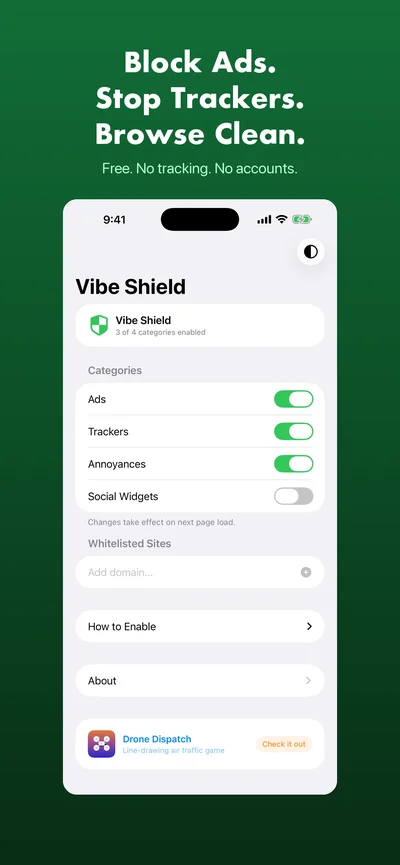
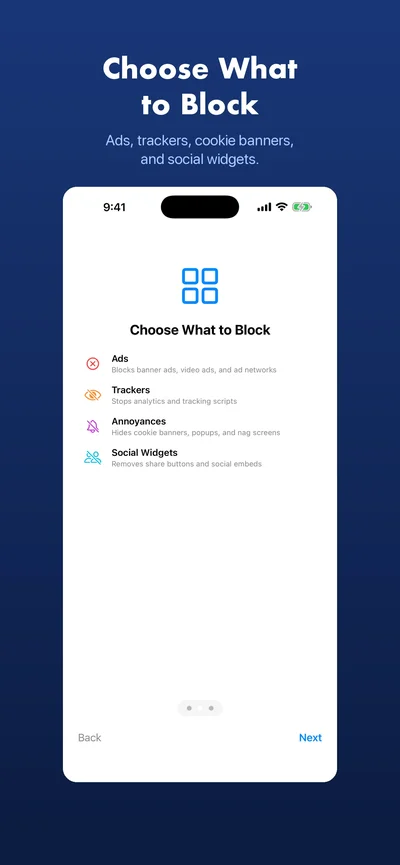
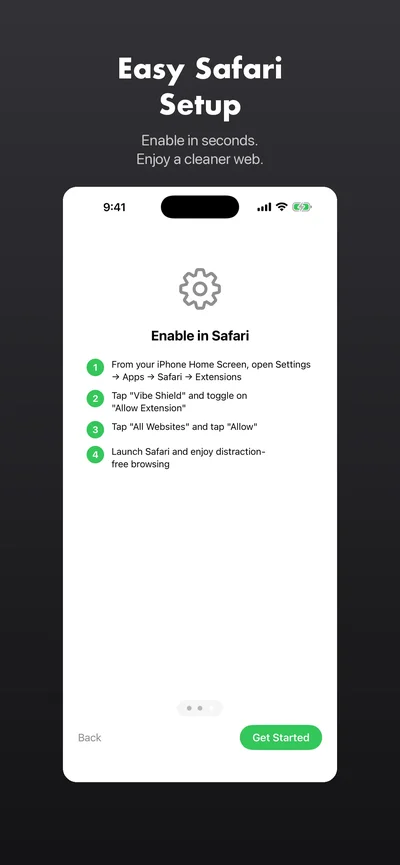
Features
Block Ads
Banner ads, video ads, pop-unders, and ad network scripts — including stubborn ones that evade standard filter lists.
Stop Trackers
Analytics, fingerprinting, and cross-site tracking scripts that follow you around the web. Gone.
Remove Annoyances
Cookie consent banners, newsletter popups, nag screens, and anti-adblock walls. Browse without interruptions.
Block Social Widgets
Share buttons, like buttons, and social media embeds that track you even when you don't click them.
Customizable
Toggle each blocking category on or off. Whitelist trusted sites so Vibe Shield steps aside completely.
Privacy-First
No accounts, no analytics, no tracking, no servers. Your browsing data never leaves your device.
Simple Pricing
Free
$0
- All blocking categories
- Custom whitelisting
- Actively maintained rules
- No ads, no tracking
- No subscriptions — ever
Frequently Asked Questions
Is Vibe Shield free?
Yes, completely. Vibe Shield has no premium tier, no subscriptions, no in-app purchases, and no ads. Every feature is available to everyone.
Does Vibe Shield slow down Safari?
No. Vibe Shield uses Safari's efficient declarativeNetRequest API for network-level blocking, combined with lightweight CSS element hiding. It runs natively and won't impact your browsing speed.
What data does Vibe Shield collect?
Nothing. Vibe Shield has no analytics, no tracking, no accounts, and no servers. Your browsing data never leaves your device. We don't know what sites you visit.
How do I enable Vibe Shield in Safari?
On iOS: go to Settings > Safari > Extensions > Vibe Shield and allow it on all websites. On macOS: open Safari > Settings > Extensions and enable Vibe Shield. The app walks you through the setup.